GTA 6 live wallpaper.
Set it up on Mac or Windows.
Choose the right installer, download your collection and bring Lucia Caminos, Vice City Sunset and Vice Heist to your desktop.
By Motion Realms · Updated 6 November 2026 · Mac DMG and Windows EXE are separate purchases.
1. Choose the GTA 6 collection for your computer
On the GTA 6 collection page, choose Mac · DMG or Windows · EXE in the platform selector before paying. Each collection costs US$4.99 as a one-time purchase, with applicable tax shown at checkout. It includes four scenes on Mac, or the three earlier scenes in the current Windows release.
- Mac: macOS 26 or later, Apple silicon or Intel. The Mac app includes its Phosphene playback integration.
- Windows: Windows 10/11 and a compatible installation of Lively Wallpaper. Lively is installed separately. The desktop installer version is recommended for scene-picker control.
The Windows EXE is unsigned, and the Mac app is ad-hoc signed and not Apple-notarized. The installation and scene-command checks passed under CrossOver; native Windows wallpaper and screensaver testing is pending. Read the platform details before buying.
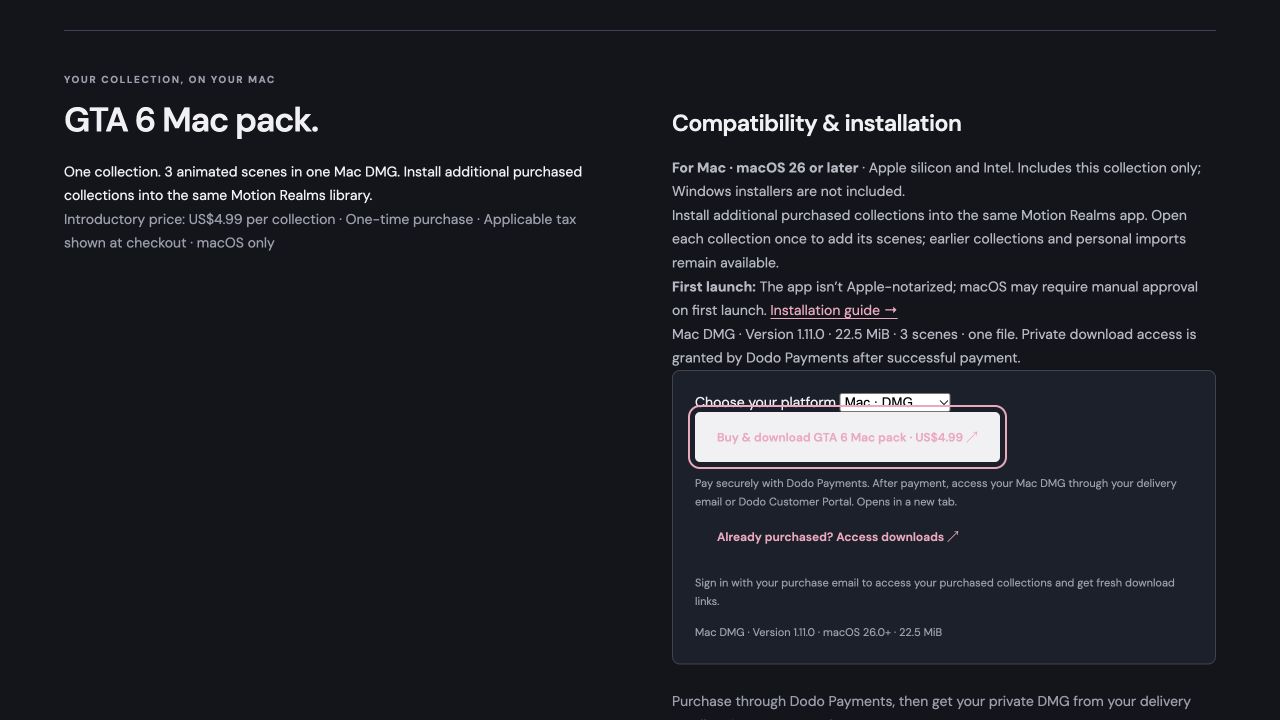
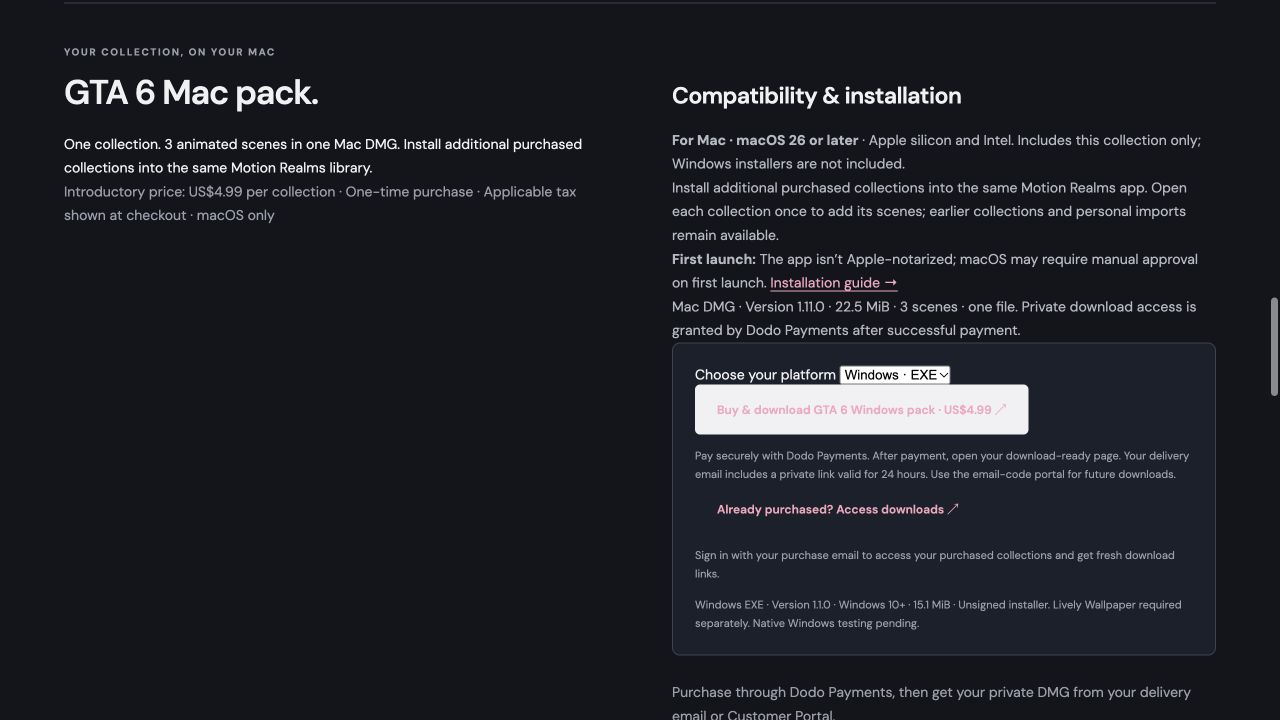
2. Download after payment
- Pay securely through Dodo Payments using the email address you want associated with your collection.
- Windows EXE: after successful payment, open Your download is ready and choose Download collection. Your delivery email contains a private link valid for 24 hours. For later downloads, use Your collections and sign in with your checkout email and the emailed code.
- Mac DMG: follow Dodo’s delivery email or sign in to the Dodo Customer Portal with your checkout email to access this collection’s attached DMG. The current GTA 6 Mac purchase uses Dodo delivery rather than the Windows download-ready page.
The Mac purchase provides a .dmg; the Windows purchase provides a .exe. If the file type does not match your computer, check your order before installing. Browser previews do not unlock the paid collection.
3. Install your GTA 6 live wallpaper on Mac
- Open the downloaded GTA 6 DMG. Quit Motion Realms if it is already running.
- Drag Motion Realms.app to Applications. If you already have the app from another collection, replace the application copy; keep your existing library data.
- Open Motion Realms once to add the GTA 6 collection to its persistent library. Open each newly purchased collection once before installing the next one.
- Choose the GTA 6 collection and use Preview to compare the scenes. Click Install wallpapers, then Open Wallpaper settings.
- In macOS Wallpaper settings, select the scene’s thumbnail. Preview how it fits your display. The 16:9 scenes can crop when a player fills a 16:10 MacBook screen.
Additional purchased Mac collections appear in the same Motion Realms library. Existing collections, personal imports and playback preferences are preserved. This collection supplies looping video scenes; it is not a time-of-day dynamic HEIC file.
If macOS blocks first launch, read the Mac first-launch instructions and Apple’s guidance. Do not disable system protections globally.
4. Set a GTA 6 live wallpaper on Windows with Lively
- Install Lively Wallpaper from its official releases and complete its first-run setup.
- Run the GTA 6 Windows EXE to install the collection. If Windows or your browser blocks the unsigned file, review the warning and contact support rather than disabling protection.
- Open Start → Motion Realms → GTA 6 → Choose wallpaper.
- Select a scene and click Apply. If asked, use Locate Lively.exe to select your desktop installation of Lively.
- If you use the Microsoft Store version of Lively, or the scene picker cannot connect, drag a video from the collection’s Media folder into Lively. The collection is installed under
%LOCALAPPDATA%\Programs\Idle Worlds\gta-6\Media; the folder name is retained for upgrade compatibility. - Choose the display and fit mode in Lively. Configure fullscreen and battery pause preferences there; the Motion Realms scene picker does not need to stay open.
See Lively’s getting-started guide for its current interface. Native Windows playback testing of our installer is still pending. The EXE does not install the GTA 6 game or provide an animated Windows sign-in screen.
Can I use the GTA 6 collection as a screensaver?
Mac: after installing the wallpapers and choosing a scene, follow the app’s instructions for Screen Saver → Automatic to match it. Playback depends on the supported macOS version and Phosphene integration. This does not replace the startup or FileVault login screen.
Windows: Lively has a separate screensaver setup. Follow its official screensaver instructions. Screensaver integration and lock/unlock behavior of these Windows installers have not been validated on a native Windows laptop.
Which GTA 6 scenes and resolutions do I get?
- Vice Heist — native 3840 × 2160 UHD source, with the faster, more vivid action loop.
- Vice City Sunset — Jason and Lucia, palms and a pink sunset; 3448 × 2160 source, narrower than standard UHD.
- Lucia Caminos — 1280 × 720 character scene. It can be scaled by a player, but is not native 4K.
Public previews are separate, resized and watermarked clips. A 4K keyword does not mean every scene in the collection is 4K. There is no phone installer or portrait mobile download in these desktop purchases.
Help with downloads and playback
The private email link expired
For a Windows purchase, open Your collections and sign in with the email used at checkout to get a fresh download link. For this Mac collection, use Dodo’s delivery email or the Dodo Customer Portal linked above. Check spam folders for your sign-in code.
My video looks cropped or soft
Compare the scene’s source resolution above with your display. A fill setting crops edges; a fit setting may add borders. Scaling the 720p Lucia video cannot restore detail that is not in its source.
My wallpaper does not move, or the wrong scene appears
On Mac, open the newly purchased collection once, click Install wallpapers and reselect its thumbnail in Wallpaper settings. On Windows, check that Lively is running and has imported the intended video; its pause rules may stop playback while another app is fullscreen.
Is this a subscription or a game download?
It is a one-time purchase of one platform’s wallpaper collection. It is not a subscription, the GTA 6 game, a game preorder or a mobile app.
Can I install more collections later?
Yes. Mac collection installers add their scenes to the shared Motion Realms library when opened. Windows collection installers use separate collection folders and share the separately installed Lively player.
For an unresolved problem, use Motion Realms support and include your platform, collection and error message. Keep download links, passwords and sign-in codes private.
Choose your GTA 6 wallpaper collection
Preview the scenes and check the included list for your platform before checkout.